How to Write LinkedIn Posts That Sell With Claude (7 Prompts)
The 4-part post structure and 7 Claude prompts that take you from buyer topics to a scored, ready-to-publish post.

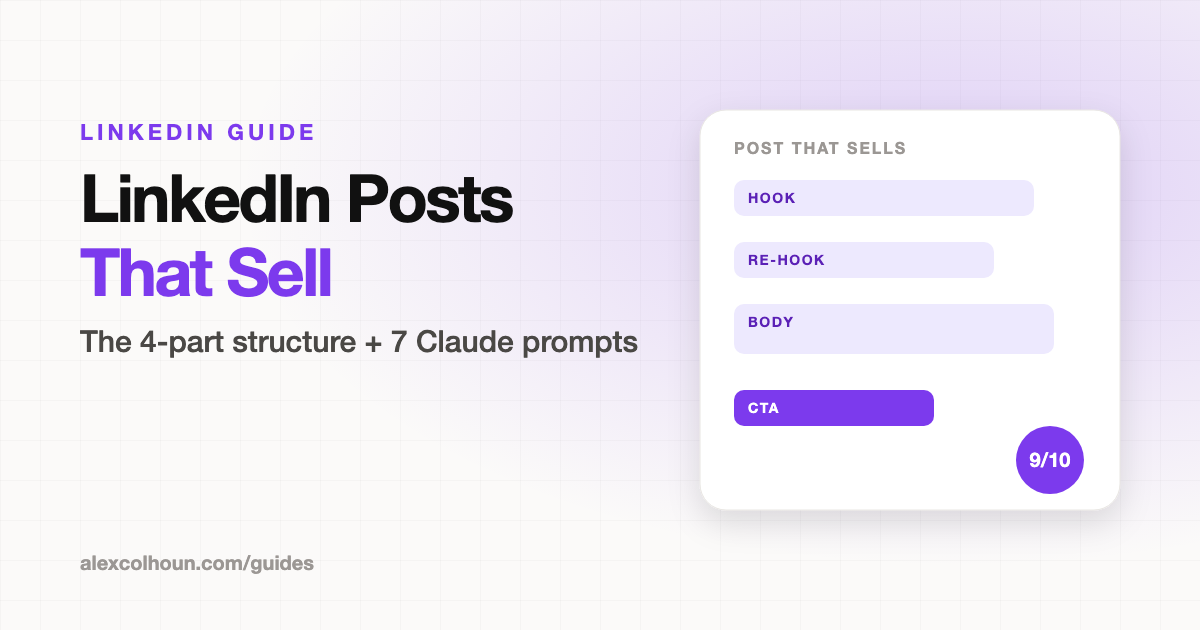
A LinkedIn post that sells is written for buyers, not peers. It follows four parts (hook, re-hook, body and CTA), covers a problem your offer solves, and sends readers to one next step. The 7 Claude prompts below take you from a ghostwriter brief to 20 buyer topics, 10 hooks, a first draft, a tough edit, a CTA with a follow-up DM, and a final score out of 10 before you publish.
Most LinkedIn posts get likes from peers and nothing from buyers. The writing is fine. The problem is the topic, the hook and the ask: the post was never aimed at someone who could pay you.
This guide gives you every prompt from the video. Copy each one, fill in the [brackets] with your real details, and paste it into Claude.
 Watch the walkthroughHow I Write LinkedIn Posts That Sell with Claude AI
Before you start
- Create a Claude Project called "LinkedIn Content". Paste your filled-in Prompt 1 into the Project instructions, and run every other prompt inside that Project.
- Make a copy of the Content Planner (File, then Make a copy). It has a Topic Bank, a Post Planner with a 6-part score for each post, and a CTA Library.
The 4-part structure of a post that sells
- Hook: one or two lines that make your buyer stop scrolling.
- Re-hook: the line that earns the "see more" click.
- Body: one point, backed by your notes, a client story or proof.
- CTA: one next step: a comment keyword, a DM, your profile or your community.
Prompt 1: Ghostwriter brief
Paste this into your Claude Project instructions. The example posts matter: they're how Claude learns to sound like you.
You are my LinkedIn ghostwriter. Use this for every post in this chat.

ICP: [role, industry, company size]
Their top 3 problems, in their words: [list]
My offer and where I want readers to go: [DM, lead magnet, community, call]
Proof I can use: [client results with numbers]
3 posts of mine that sound like me: [paste]
Words I never use: [list]

Reply "Ready" when you have it.Prompt 2: Buyer topics
This builds your Topic Bank. Every topic should be a problem your offer solves, written the way your buyer would say it.
Using my ICP, list 20 post topics my buyers would stop scrolling for.

Each must be a problem my offer solves, written the way my buyer would say it.

Group them as: mistakes they make, questions they ask, results they want, beliefs I disagree with.

Flag any topic that would mainly attract peers instead of buyers.Need more angles? See 50 LinkedIn post ideas.
Prompt 3: Hooks
Write 10, keep one. Hooks are statements, never questions, and each line stays under 12 words so it fits above "see more" on mobile.
Topic: [topic]
Proof I can use: [result or story]

Write 10 hooks for this post: 2 each of result, mistake, contrarian, how-to, and story.

Each hook is 1 to 2 lines, under 12 words per line, a statement and never a question.

Then pick the 2 my buyer would stop for and write a re-hook line for each.More formulas and examples: LinkedIn hooks.
Prompt 4: Draft
Feed it your own notes, a client story or a voice memo transcript. Claude is told to use only facts from your notes, so the post stays true.
Write a LinkedIn post in my voice.

Hook: [hook]
My notes: [paste notes or story]
The one point: [point]
CTA goal: [comment keyword / DM / profile / community]

Structure: hook, re-hook, body, CTA. Short lines, a blank line between paragraphs, under 1,300 characters. Only use facts from my notes.Prompt 5: Edit
Never post the first draft. This pass cuts filler and anything that sounds AI-written, and flags claims that need proof.
Edit this post like a tough editor: [paste draft]

Cut filler, buzzwords, em dashes, and anything that sounds AI-written.
Make every line say one thing.
Keep my voice from my example posts.
Flag any claim that needs proof.

Show me the edited post, then list what you changed.Prompt 6: CTA and follow-up DM
Write the DM before you post, so you can reply to everyone who responds within minutes.
Here is my post: [paste post]
I want readers to: [comment a keyword / visit Featured / DM me / book a call]

Write 3 CTA lines for that goal, each under 20 words, with a one-word keyword where it fits.

Then write the DM I send to everyone who responds: under 50 words, delivers what I promised, and asks one question about their situation.Prompt 7: Score before you publish
Fix anything under 8. Log the scores in the Post Planner tab, so over time you can see which parts of your posts hold you back.
Score this post 1 to 10 on buyer, hook, format, voice, proof, and CTA, reading as my ICP: [paste post]

For anything under 8, give me the exact fix.Your action items
- Set up your Claude Project with Prompt 1
- Generate 20 buyer topics with Prompt 2 and save them in the Topic Bank
- Write, edit and score your next 5 posts with Prompts 3 to 7
- Post your best hook in the community for feedback
Once your posts start bringing in comments and DMs, use Get clients from LinkedIn with Claude to turn them into calls.
Want feedback on your hooks and posts? Join The Growth Innovator community on Skool and post your best hook in the community. It's free.
Frequently Asked Questions
What makes a LinkedIn post sell?
It's written for buyers, not peers. It covers a problem your offer solves, opens with a hook your buyer would stop for, makes one point with proof, and ends with one clear next step.
What is the structure of a LinkedIn post that sells?
Four parts: a hook, a re-hook that earns the see more click, a body with one point, and a CTA that sends readers to one place.
Can Claude write LinkedIn posts in my voice?
Yes, if you give it a brief with your ideal client, offer, proof, three of your own posts and words you never use. Always edit the draft before you post.
How long should a LinkedIn post be?
Aim for under 1,300 characters for most posts, with short lines and a blank line between paragraphs.
Should a LinkedIn hook be a question?
No. Statements stop the scroll better. Keep each line under 12 words so it fits above see more on mobile.