LinkedIn Hooks: 10 Formulas That Stop the Scroll
10 hook formulas with examples, before and after rewrites and a simple process for writing first lines that earn the click.

A LinkedIn hook is the first one to three lines of your post, the only part people see before "see more". Good hooks are short, specific and about the reader: they promise a result, call out a mistake, share a surprising number, set up a contrast or open a story. Write the hook last, keep the first line under about 10 words where you can, and make sure the post delivers what the hook promises.
Out of everything in a LinkedIn post, the hook has the biggest effect on reach. Nobody reads a post they never clicked into. After writing 985+ posts, the pattern is clear: the posts that perform rarely have the cleverest ideas, but they almost always have the clearest first line.
This guide breaks down what makes a hook work, 10 hook formulas with examples, and how to test yours.
What a LinkedIn hook needs to do
In the feed, LinkedIn shows only the first couple of lines of a text post. A hook has two jobs:
- Stop the scroll. Make the reader pause.
- Earn the click. Make them want to tap "see more".
Everything else, the story, the framework, the lesson, only matters if those two things happen.
The 5 principles of a strong hook
- Short: the first line should be readable at a glance.
- Specific: numbers, names and details beat vague claims. "3 changes" beats "some changes".
- Reader-first: it is about their problem or goal, not about you.
- Open loop: it creates a question the reader wants answered.
- Honest: the post must deliver what the hook promises. Clickbait wins one click and loses trust.
10 LinkedIn hook formulas with examples
1. The result
I grew from 0 to 46K followers without ads. Here is what actually worked.
2. The mistake
Most founders post on LinkedIn for a year and get zero clients. It is not the algorithm.
3. The number
7 profile fixes that take less than 10 minutes.
4. The contrast
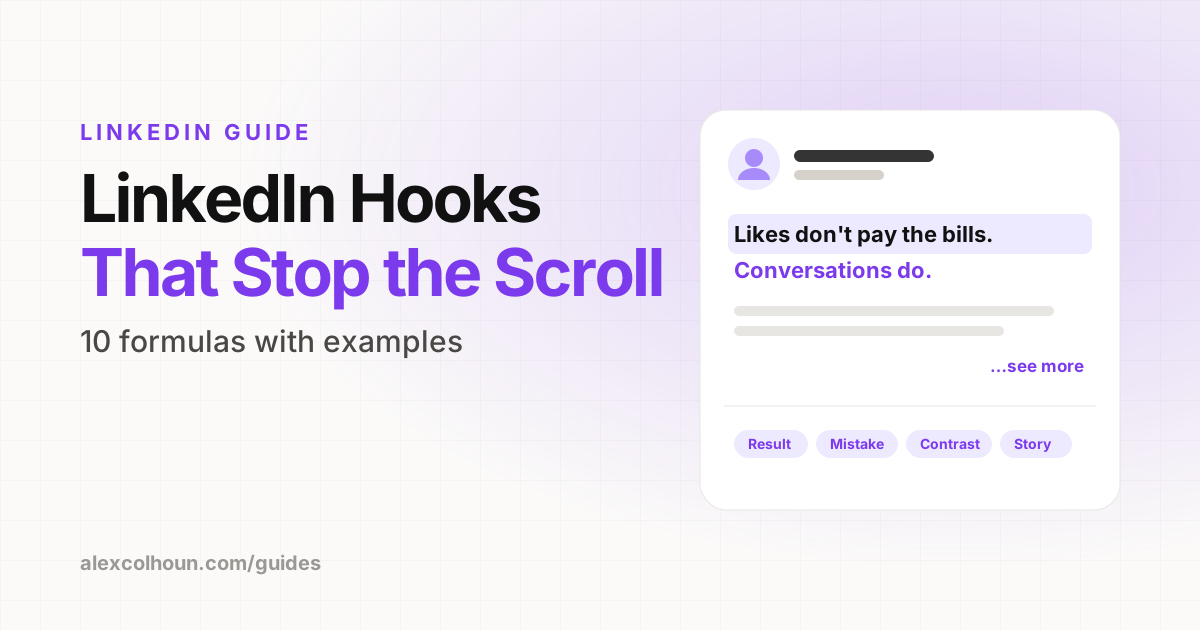
Likes do not pay the bills. Conversations do.
5. The story
Two years ago I had 300 followers and no clients.
6. The promise
Steal the exact post structure I use every week.
7. The contrarian take
Posting every day is bad advice for most founders.
8. The question
Why do some posts with 50 likes bring in more clients than posts with 5,000?
9. The before and after
Before: 2 profile views a day. After: 40. One change.
10. The callout
If you are a coach getting likes but no clients, read this.
Do not forget the second line
On most screens, the first two or three lines show before "see more". The second line is your chance to add tension or specificity:
Most founders post on LinkedIn for a year and get zero clients.
It is not the algorithm. It is these 3 things.
Use a line break between them. White space draws the eye.
How to write a hook, step by step
- Write the post first. You cannot write a good hook until you know exactly what the post delivers.
- Find the most valuable or surprising point in the post.
- Write five to ten hook options using different formulas from the list above.
- Cut every unnecessary word. "I wanted to share some thoughts about" can almost always go.
- Read them as your ideal client. Which one would make them stop? Pick that one.
Hook rewrites: before and after
| Before | After |
|---|---|
| I wanted to share some thoughts on LinkedIn profiles. | Your LinkedIn profile is losing you clients. Here is where. |
| Here are some tips for writing better posts. | 5 post templates I have used for 985+ posts. |
| Last week something interesting happened with a client. | A client closed $90K in 30 days. Here is the system behind it. |
| Consistency is important on LinkedIn. | I posted 3 times a week for 6 months. Here is what changed. |
Hooks for carousels and video
The same rules apply to the first slide of a carousel and the first seconds of a video. Your carousel cover is a hook in large text. See how to make a LinkedIn carousel for cover slide examples.
How to test your hooks
- Track impressions and engagement for each post alongside its hook type.
- After 10 to 20 posts, look at which hook types consistently do best for your audience.
- Re-post your best ideas a few months later with a new hook. The difference can be dramatic.
Hook mistakes
- Warming up: "Happy Monday everyone! I hope you all had a great weekend."
- Being vague: "Some thoughts on leadership."
- Hiding the point until the end of the post.
- Clickbait that the post does not deliver on.
- Writing hooks for other creators instead of for buyers.
The hook gets the click. The rest of the post earns the follow. For structure, endings and templates, read how to write LinkedIn posts that get engagement. A swipe file of proven hooks is free inside The Growth Innovator community on Skool.
Frequently Asked Questions
What is a hook on LinkedIn?
The first one to three lines of a post, which are the only part visible before see more. Its job is to stop the scroll and earn the click.
How long should a LinkedIn hook be?
Short enough to read at a glance. Aim for a first line under about 10 words where possible, with a second line that adds tension or detail.
What makes a good LinkedIn hook?
It is short, specific, about the reader, creates a question they want answered and is honest about what the post delivers.
Should I write the hook first or last?
Last. Write the post, find its strongest point, then write several hook options and pick the best.