LinkedIn About Section Examples (+ A Template You Can Copy)
The 5 part structure, a copy and paste template and four examples of About sections that turn visitors into conversations.

A strong LinkedIn About section is written for your buyer, not your resume. Open with their problem in the first two lines, explain why it happens, describe how you solve it, share two or three results, and end with one clear next step. Keep paragraphs short, write in the first person and use the words your clients use.
The About section (LinkedIn used to call it the summary) is where profile visitors decide whether to follow you, message you or leave. Only the first few lines show before "see more", so those lines do most of the work.
Here is the structure I use, a fill in the blanks template, and examples for different roles.
What the LinkedIn About section is for
Most About sections read like a cover letter: a list of past jobs and personal qualities. That is useful for recruiters, but not for buyers. If you want clients, your About section should answer three questions fast:
- Is this person for someone like me?
- Can they solve my problem?
- What should I do next?
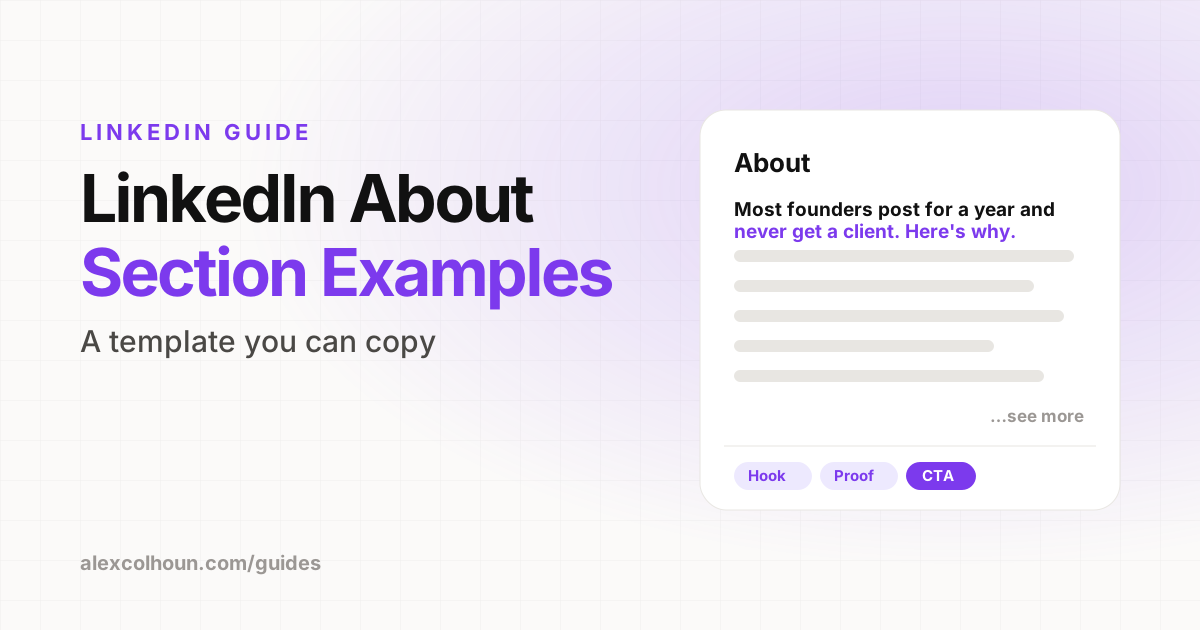
The 5 part About section structure
- Hook (first two lines): name the problem or the result your reader wants. This is what shows before "see more".
- Why it happens: show you understand the problem better than they do.
- How you solve it: your method, process or offer in plain language.
- Proof: two or three specific results, numbers or recognizable names.
- Call to action: one clear next step, such as a free resource, a newsletter or booking a call.
LinkedIn About section template
Most [audience] [struggle with problem]. Not because [common belief], but because [real reason].
I help [audience] [get result] using [method].
Here is how it works:
→ [Step 1]
→ [Step 2]
→ [Step 3]
Some results:
• [Result 1]
• [Result 2]
• [Result 3]
If you want [result], [next step]. [Link or "see Featured below"].
LinkedIn About section examples
These are illustrative examples showing the structure in action for different roles.
Example 1: Consultant
Most B2B service firms lose deals they should win. Not because the work is worse, but because the proposal is.
I help consulting firms write proposals that win bigger contracts. We rebuild your proposal process in four weeks: discovery questions, pricing options, case studies and follow up.
Recent results: a 12 person firm raised its average deal size by 40%. Another cut proposal time from two days to three hours.
Want the proposal template we start with? It is in my Featured section below.
Example 2: Coach
New managers are promoted for being great at the job, then expected to lead people with zero training.
I coach first-time managers through their first 12 months: how to run 1:1s, give feedback, delegate and protect their own time.
200+ managers coached at companies from 10 to 10,000 people.
If you just got promoted, follow me for one leadership lesson a day, or message me "MANAGER" for my free 30 day plan.
Example 3: Founder
Shipping costs eat 10 to 15% of revenue for most mid-size online retailers. We built [Company] to fix that.
Our software compares carriers on every order and picks the cheapest option that still hits your delivery promise. Setup takes a day.
Customers typically see savings in the first month. If you ship more than 1,000 orders a month, book a free audit using the link below.
Example 4: Job seeker
I design products people actually finish using. Over six years I have shipped onboarding flows, dashboards and mobile apps for fintech and healthcare teams.
Highlights: redesigned a signup flow that lifted completion rates, led design for an app with 50,000+ users, and built a design system used across three products.
I am looking for a senior product design role on a mission-driven team. Portfolio in Featured.
Replace every number with your own real results. Specific, true numbers are far more convincing than big round ones.
Writing tips
- Write in the first person. "I help" reads more human than "Alex is a results-driven professional".
- Short paragraphs. One to three lines each. Most people read on their phone.
- Use your buyer's words. Steal phrases from sales calls and client emails.
- Include search terms naturally. If buyers search "LinkedIn ghostwriter" or "sales trainer", use those words.
- One call to action. Pick the single next step that matters most.
- Up to 2,600 characters are allowed, but clarity matters more than length.
About section mistakes
- Starting with "I am a passionate professional with 15 years of experience".
- Listing every job you have had, which is what the Experience section is for.
- No proof, so every claim is just a claim.
- No next step, so interested visitors leave.
- Writing it once and never updating it when your offer changes.
Line up the rest of your profile
Your About section works best when your headline, banner and Featured section tell the same story. Start with these LinkedIn headline examples, then run through the full LinkedIn profile optimization checklist.
If you want a second pair of eyes on your About section, share it in The Growth Innovator community on Skool. It is free.
Frequently Asked Questions
What should I write in my LinkedIn About section?
Open with your reader's problem, explain why it happens, describe how you solve it, share two or three results and end with one clear next step.
How long should a LinkedIn About section be?
LinkedIn allows up to 2,600 characters. Use as much as you need to be clear, but make the first two lines count because they show before see more.
Should a LinkedIn About section be in first or third person?
First person. Writing I help sounds more human and conversational than writing about yourself in the third person.
Is the LinkedIn summary the same as the About section?
Yes. LinkedIn renamed the summary section to About. Advice for writing a LinkedIn summary applies to the About section.